How to Order and Receive Your Code
JPSHOP24 is a member-only site available exclusively to registered members. Purchases cannot be made as a guest. Screen layouts may vary depending on operations, but the purchasing flow is the same. Please use this for reference.
1. Select the desired item.
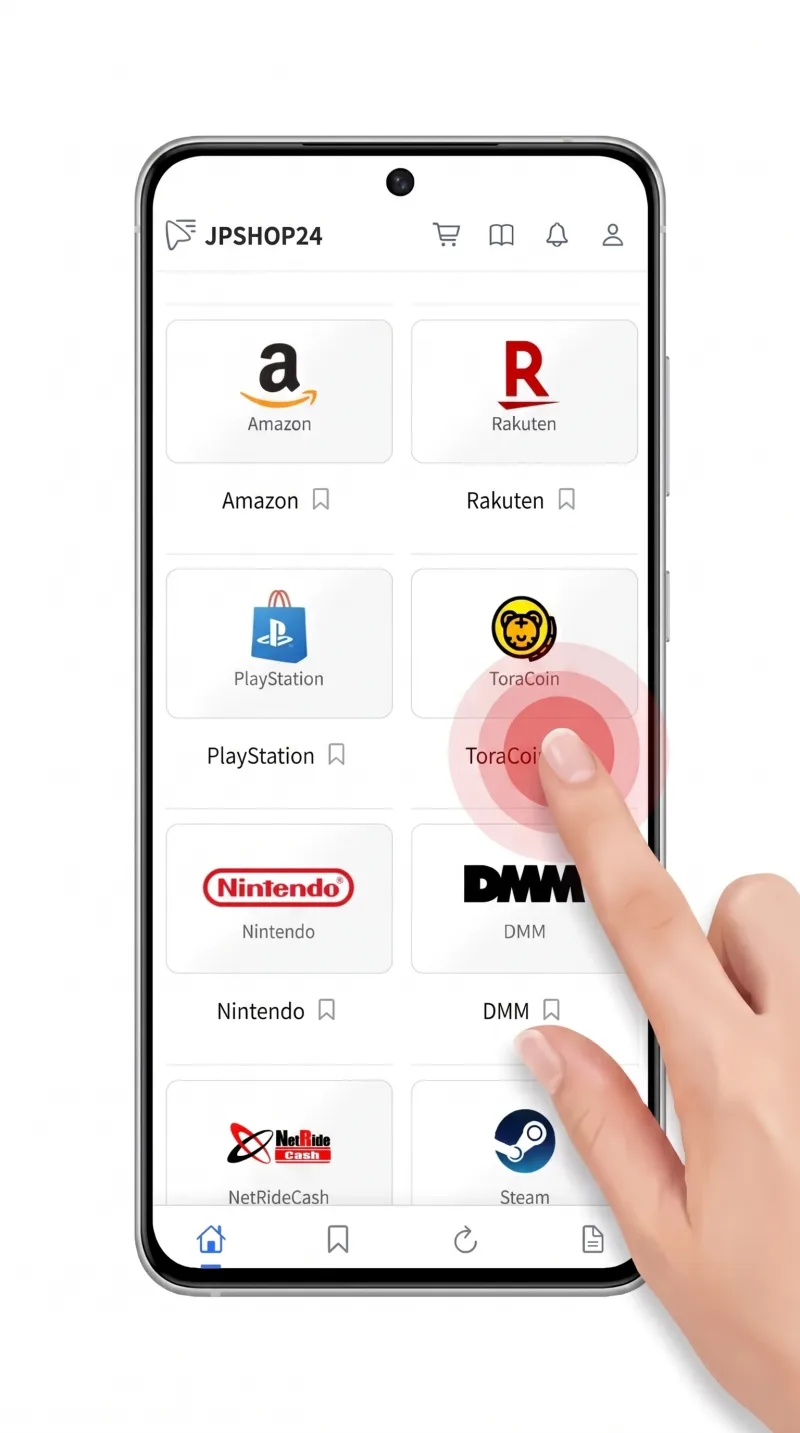
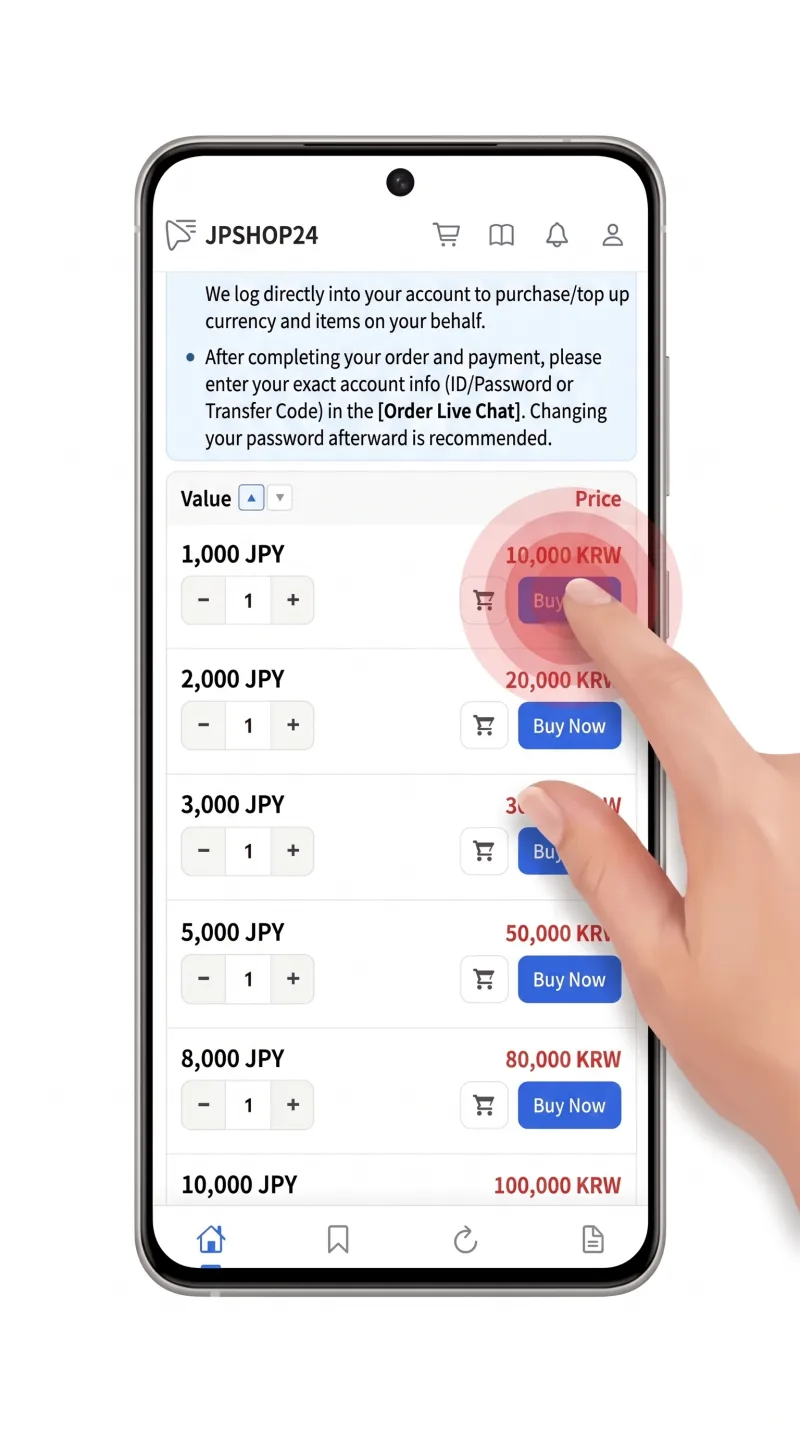
2. Choose the amount and quantity, then select "Buy Now". (If you are selecting multiple different items, please add them to your cart.)
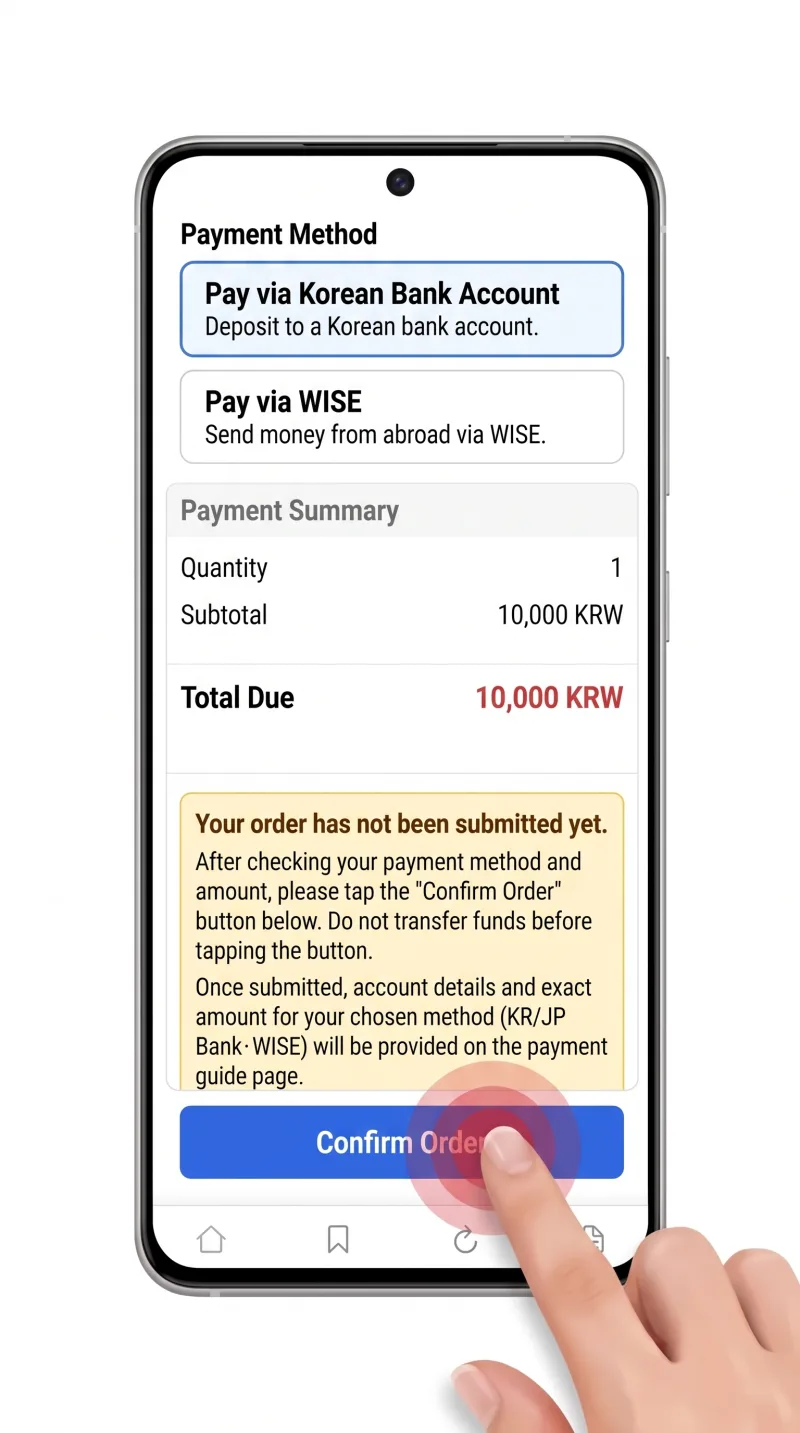
3. Review your order details to ensure they are correct, then click the "Complete Order" button.
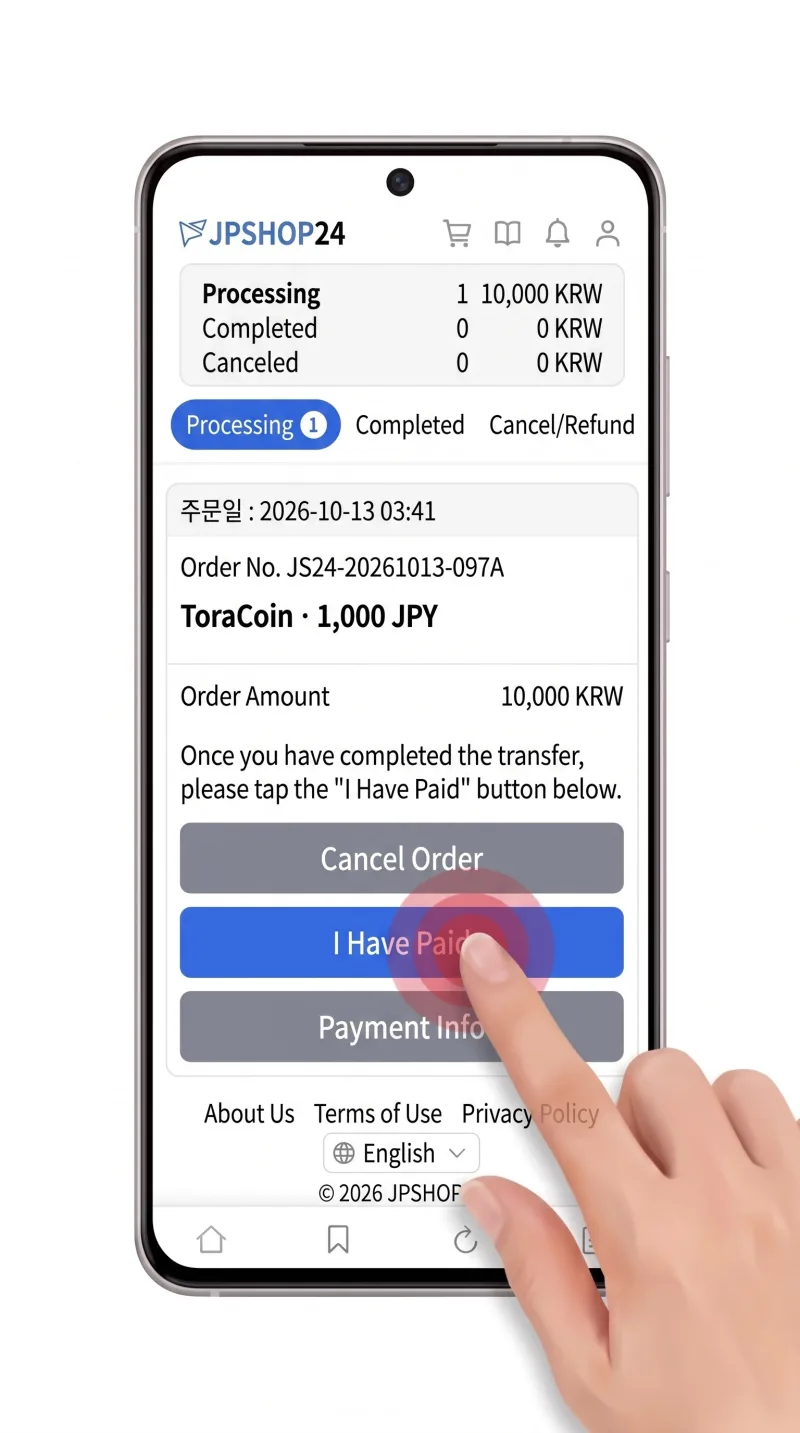
4. Once you have transferred the payment to the issued account, click the "I've Paid" button.
5. When the chat button becomes active, please click it.
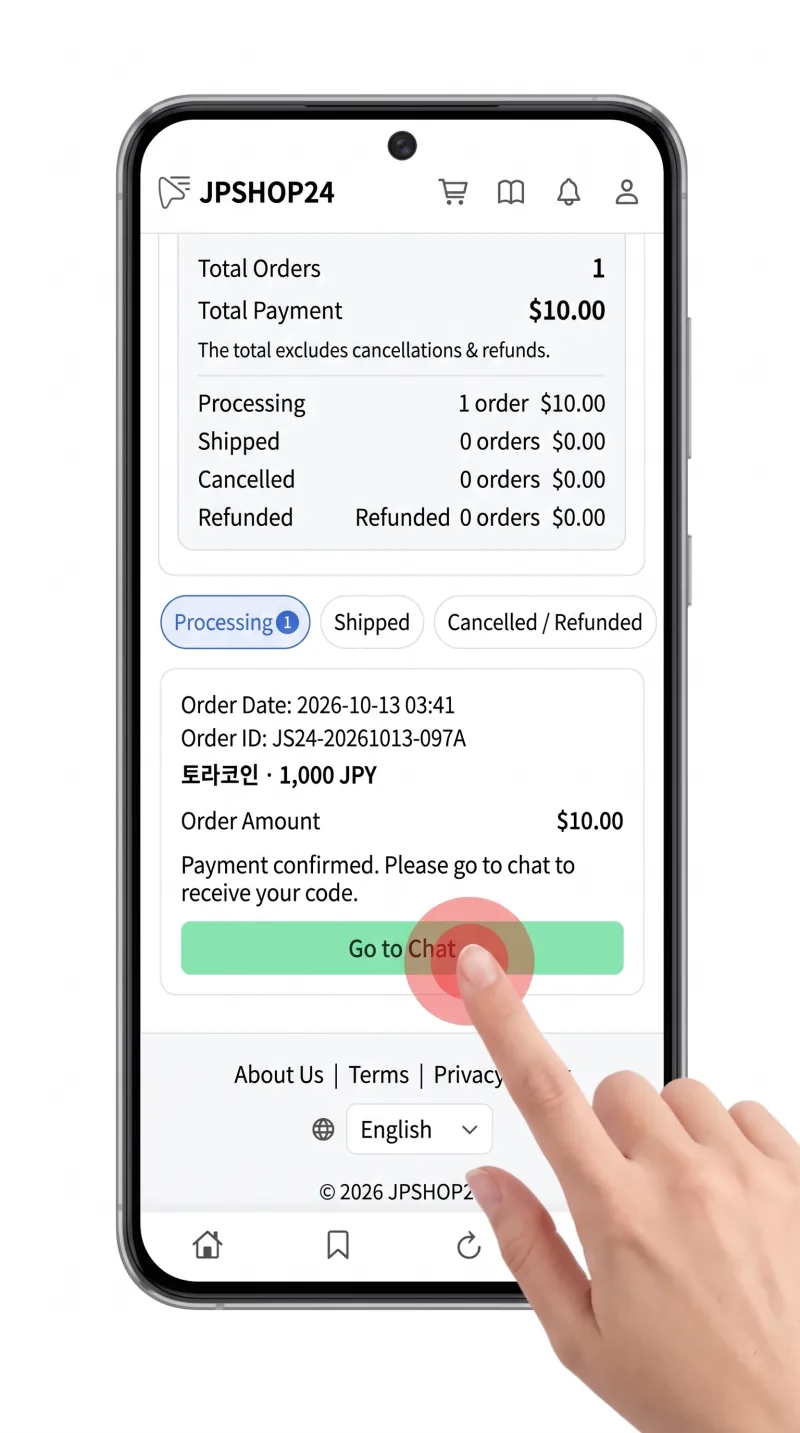
6. You can receive your product code in the chat window that appears. After topping up/receiving your code, please click the "Transaction Complete" button.
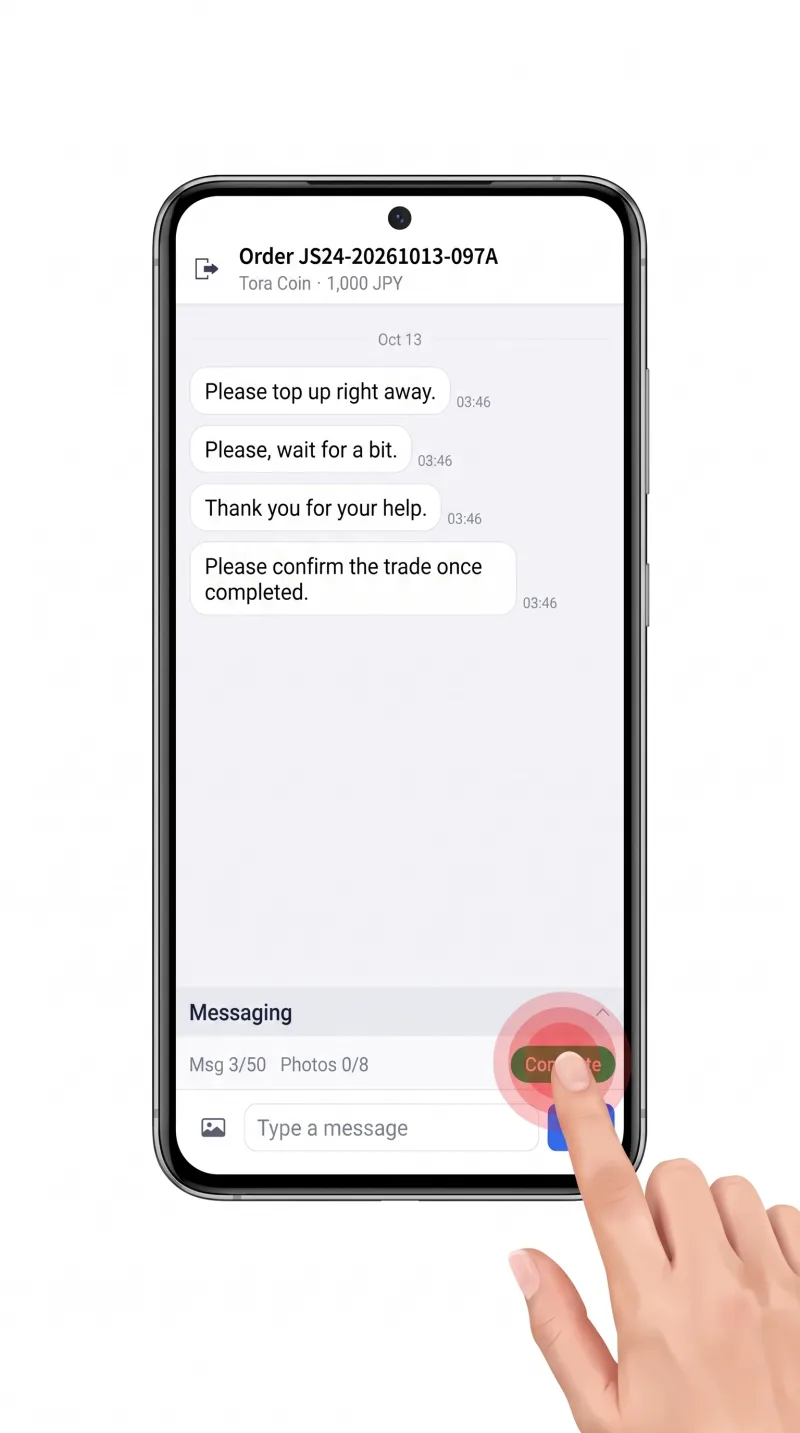
This concludes our guide on how to place an order and receive your code on JPSHOP24. If you have any questions, please contact us via KakaoTalk ID: jpshop24. Please note that KakaoTalk is for inquiries only.